
A4 vs US Letter for Printable Calendars
Compare A4 and US Letter dimensions, portrait and landscape layouts, printer margins, scaling and writing space for printable calendars.
QUICK ANSWER
The sizes are close, but they are not the same
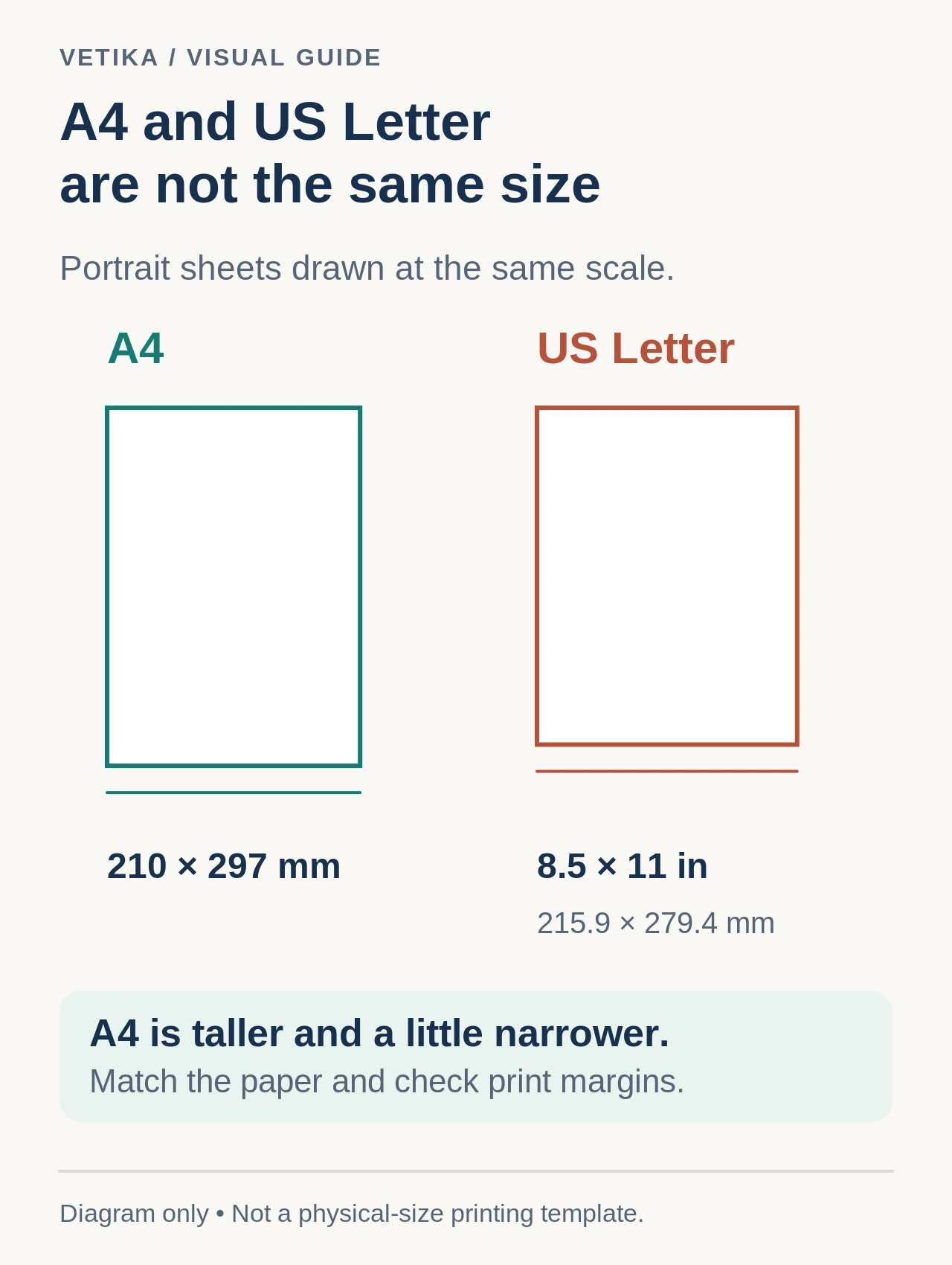
A4 is 210 × 297 millimetres, approximately 8.27 × 11.69 inches. US Letter is 8.5 × 11 inches, approximately 216 × 279 millimetres. Letter is slightly wider and shorter; A4 is slightly narrower and taller. That difference is enough to affect margins, scaling and the amount of writing space in a calendar grid.
The Printable Calendar Generator lets you preview either paper size before using the browser print dialog.
IN DETAIL
Portrait vs landscape changes the useful dimension
Portrait gives more vertical room below each weekday heading. Landscape gives more horizontal room across the seven day columns. For a monthly calendar with event labels, landscape often gives longer lines before text needs to wrap. Portrait can work well when the calendar is pinned to a narrow wall area or when vertical writing space is more important.
Example: monthly family calendar
On A4 landscape, the 297 mm side becomes the page width, giving each of seven columns more horizontal space than A4 portrait. That can make short event labels easier to read.
IN DETAIL
Yearly overviews need a different compromise
A one-page yearly calendar has twelve mini-months, so neither paper size creates large day cells. Landscape often helps arrange months in a wider grid, while portrait may fit better in a binder or document packet. The key question is whether the page is for overview or handwriting. A yearly overview is usually for scanning; a monthly page is usually better for writing.
IN DETAIL
Printer margins reduce the printable area
The nominal page size is not the same as the printable area. Printers and print drivers can reserve margins, and browser print settings can add their own margin choices. Do not assume borderless printing is available. Use print preview to check that the outer calendar border, weekday names and final column are fully visible.
IN DETAIL
Scaling can solve or create problems
If the browser print dialog scales the page unexpectedly, the calendar may become smaller or spill onto another page. Start with the paper size and orientation that match the calendar configuration. If clipping remains, inspect margins and scale rather than immediately shrinking the design. Excessive scaling can make yearly text too small to be useful.
IN DETAIL
Saving as PDF preserves a page layout, not printer hardware
When you choose “Save as PDF” in the browser or operating system print dialog, the resulting PDF uses the selected page geometry. That makes it useful for sharing a calendar with someone who will print later. The recipient should still print it on the same paper size or deliberately choose a scaling option.
Check your own data with the primary tool.
IN DETAIL
Which should you choose?
| Need | Useful starting point |
|---|---|
| Monthly calendar with longer event labels | Landscape on the paper size your printer actually uses |
| Year overview for scanning | Landscape often provides a comfortable 12-month grid |
| Binder or narrow wall placement | Portrait may fit the physical destination better |
| Sharing as PDF | Choose the size recipients are most likely to print |
For the complete configuration sequence, see How to Create a Printable Calendar. If the first-day convention is the remaining question, see Monday vs Sunday Week Start.
IN DETAIL
Common clipping checks
- Paper size in the calendar and print dialog do not match.
- Orientation differs between the page and print dialog.
- Printer margins are larger than expected.
- Browser scale has been changed from its normal value.
- A yearly layout is being forced to include details better suited to monthly pages.
Open the related tool and apply what you learned.